
Before you begin
You need the specialist’s public link and a phone where you can be reached.
Entering a phone in the form and verifying it through Telegram are separate. Verify it to link eligible appointments to your account.
Step-by-step guide
Open the business link
Check the name. You may choose Telegram booking if offered; the steps below describe the web form.
Enter contact details
Use the correct country code. Fill in your name if requested and recheck the number.
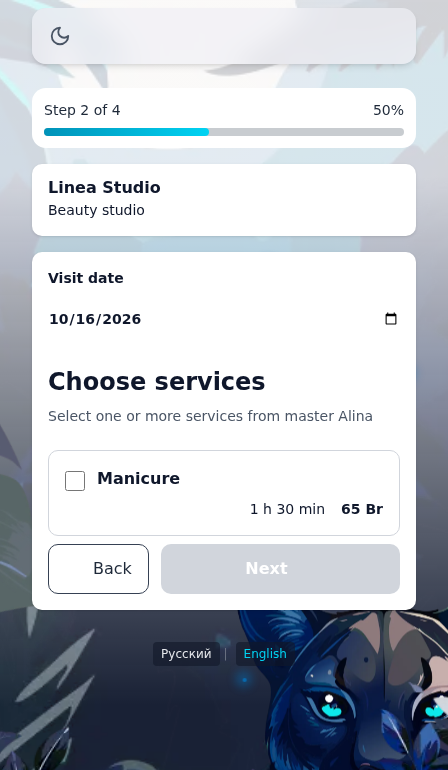
Choose a specialist and services
Choose a specialist when there are several. Select services and review the price and combined duration.
Choose a date and time
Select an available start. Try another day or specialist if there are none. You may join a waitlist when offered.
Review and confirm
Check the business, specialist, services, date, time and price. Submit and wait for the result page.
Keep access
Save the appointment link and read Telegram connection instructions on the result page. Verify your phone to see eligible appointments in your account.
Check the result
The created appointment has a result page. Check its status: pending and confirmed are different.
Questions and solutions
The time is no longer available
Another client may have booked it. Return to time selection and refresh options.
How do I reschedule or cancel?
Use the available actions on the saved appointment. Contact the specialist if an action is unavailable or the link expired.
My appointments is empty
Sign in and verify your phone through the bot. It must match the booking. A result page alone does not verify your number.
Confirmation is taking too long
Wait for the result and check existing appointments before creating another. Follow any displayed error guidance.